This helps streamline invoicing and freight rate setups by reducing manual data entry.
This option is turned off by default. Customers cannot enable it themselves—you'll need to contact our support team to request activation. Once enabled, distances and times will auto-populate.
Where to View Site Distances
Go to Customers > Customer Location > Site Distance. Here, you can see the calculated distances and times. Tolls are also managed in this section but must be entered manually—they aren't part of the auto-calculation.
⬇️EXAMPLE SETUP
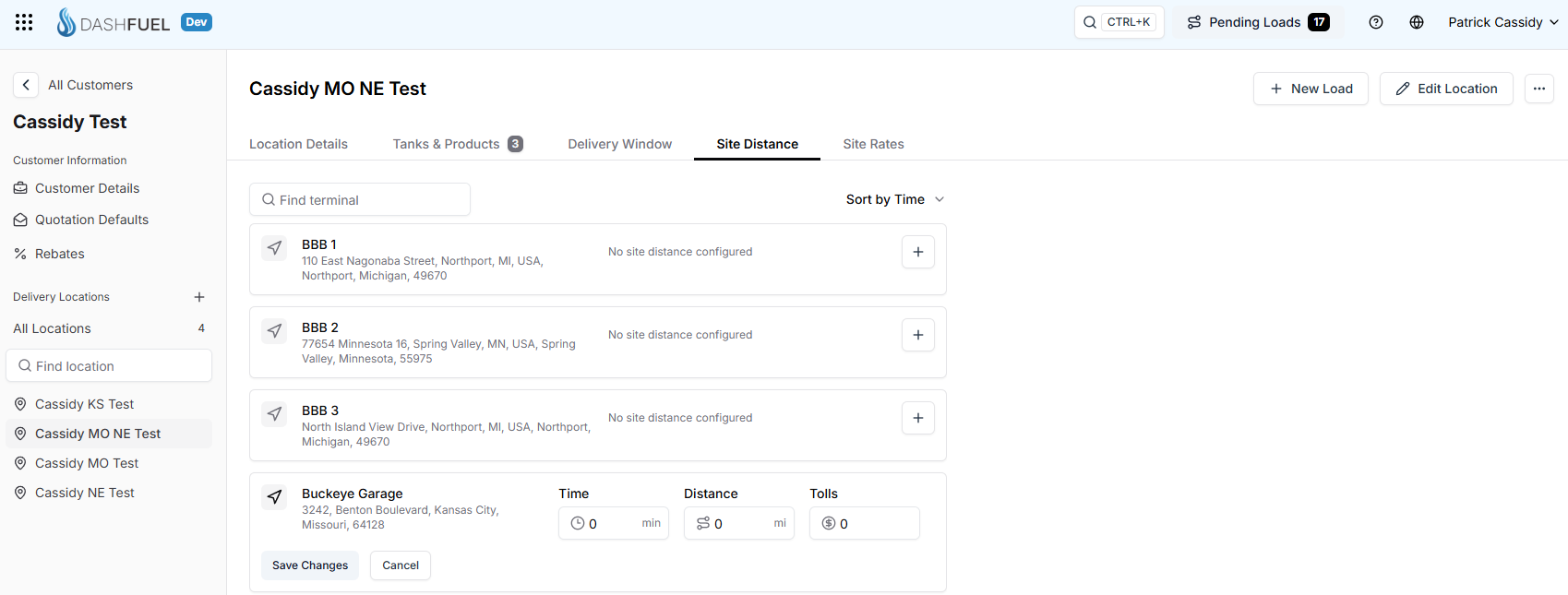
This setup makes billing faster and more accurate.